A'amali+
A'amali+
A'amali+
The all-in-one bundle for Riyadah SMEs, giving you the “extra” your business needs
Features

Marketing SMS
Marketing SMS
Reach customers instantly, drive sales, and foster, loyalty with targeted messages sent directly to their, phones.

Web Hosting
Web Hosting
web hosting ensures your website is accessible to customers 24/7.

Mobile PBX
Mobile PBX
call routing, voicemail, and seamless mobile integration.

Domain
Domain
A domain gives your business a unique online identity, and domain registration will be offered with (.om)

Are you interested in A'amali+?
Join our list of satisfied enterprise customers.
Terms and Conditions
Don't have any doubts. Check our terms and condition, right now.
- The plans applicable for Riyadah customers
- The minimum commitment period is 1 year.
- In case FBB is not covered in a specific location, customers will have the option of data sim (100GB for plan 1, 200GB for plan2) with free MiFi device.
- SMS Marketing is a one-time service valid for 1 month
- Domain registration will be offered with (.om).
- Web Hosting service includes (Web Storage: 1GB, Email Storage: 200MB, Traffic: 50GB, MSSQL:1, MySQL: 1, Sites and Subdomains: 1)
- The Customer may upgrade their package anytime during the commitment period.
- In case of a downgrade, termination or change of ownership within the contract period, early termination fees shall apply as follows:
- 1-Year Contract: (50% of Monthly subscription fee * remaining no. of months from the contract)
Required Documents
FAQs
Who can avail this service?
The plan is applicable for Riyada customers.
how can I claim my A’amali+ benefits?
You can claim them through self-care portal. For more details about the self-care portal, click here
How can I register in self-care portal?
For registration, click here.
what are the require documents for A’amali+?
Copy of Riyada card.
How many times can I subscribe to A’amali +?
You can subscribe multiple times.
How can I get extra SMS?
through Marketing SMS platform. For more details, click here.
How can I claim my A’amali+ benefits?
Don't have any doubts. Check our terms and condition, right now.
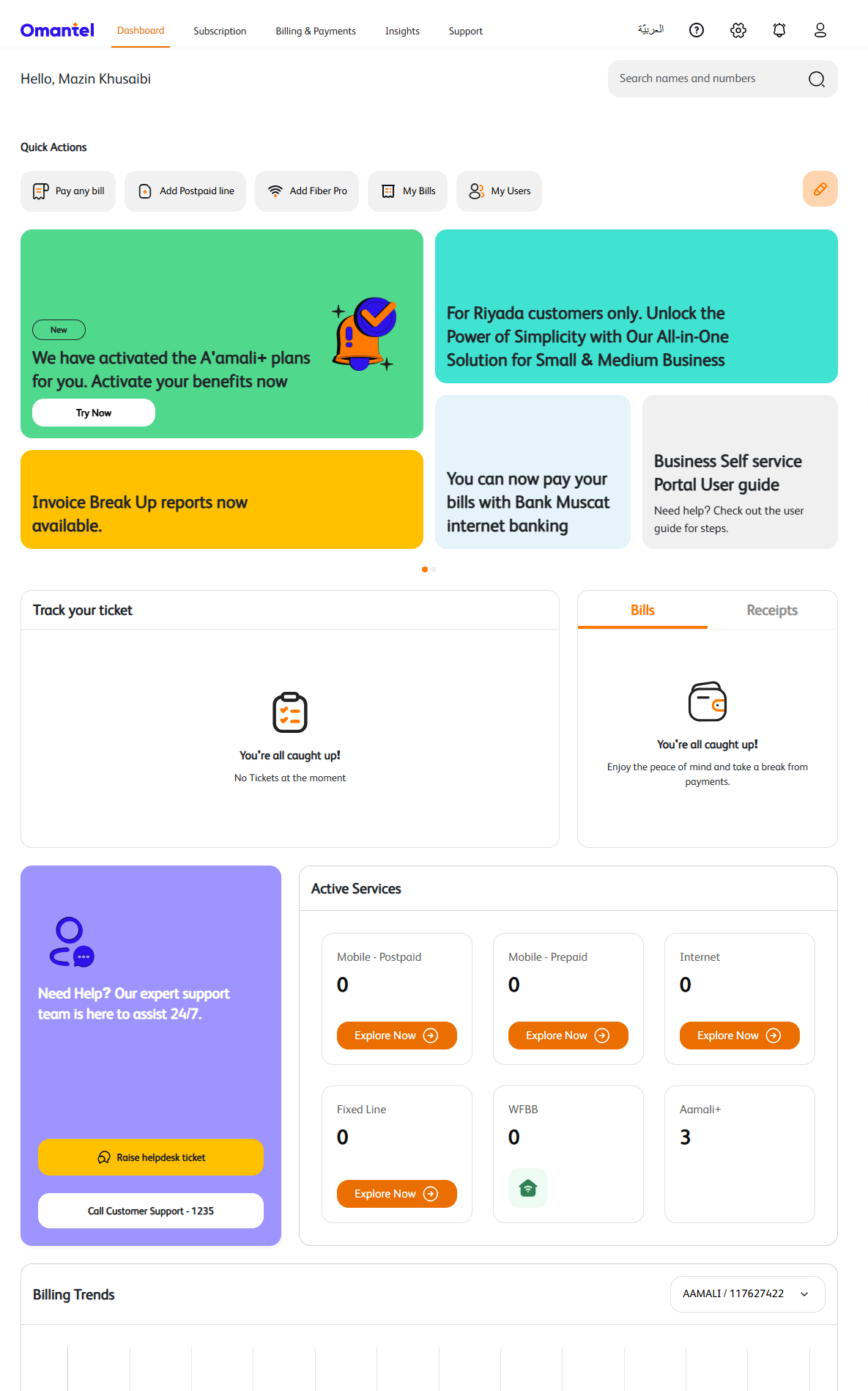
Login into Business Self-service portal
Login into the Business Self-service portal to open the Dashboard Page.
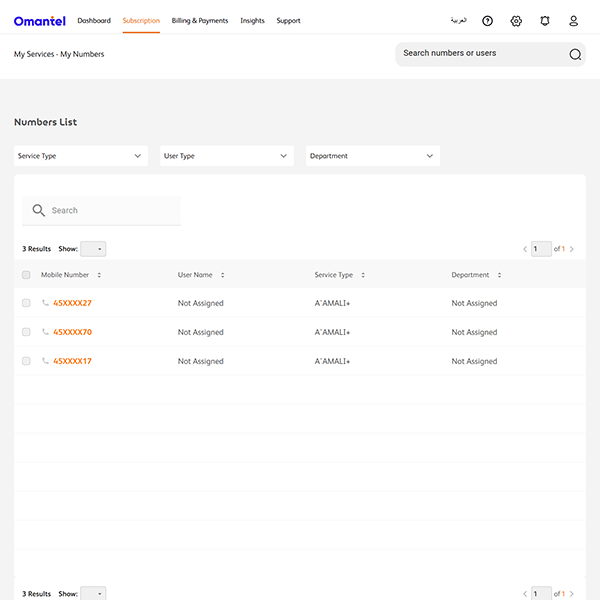
Open the My Number Detail Page
User has to click on the account number to open the My Number Details page using Clicking on My Number -> Filter A'amali+ numbers & click on the number.
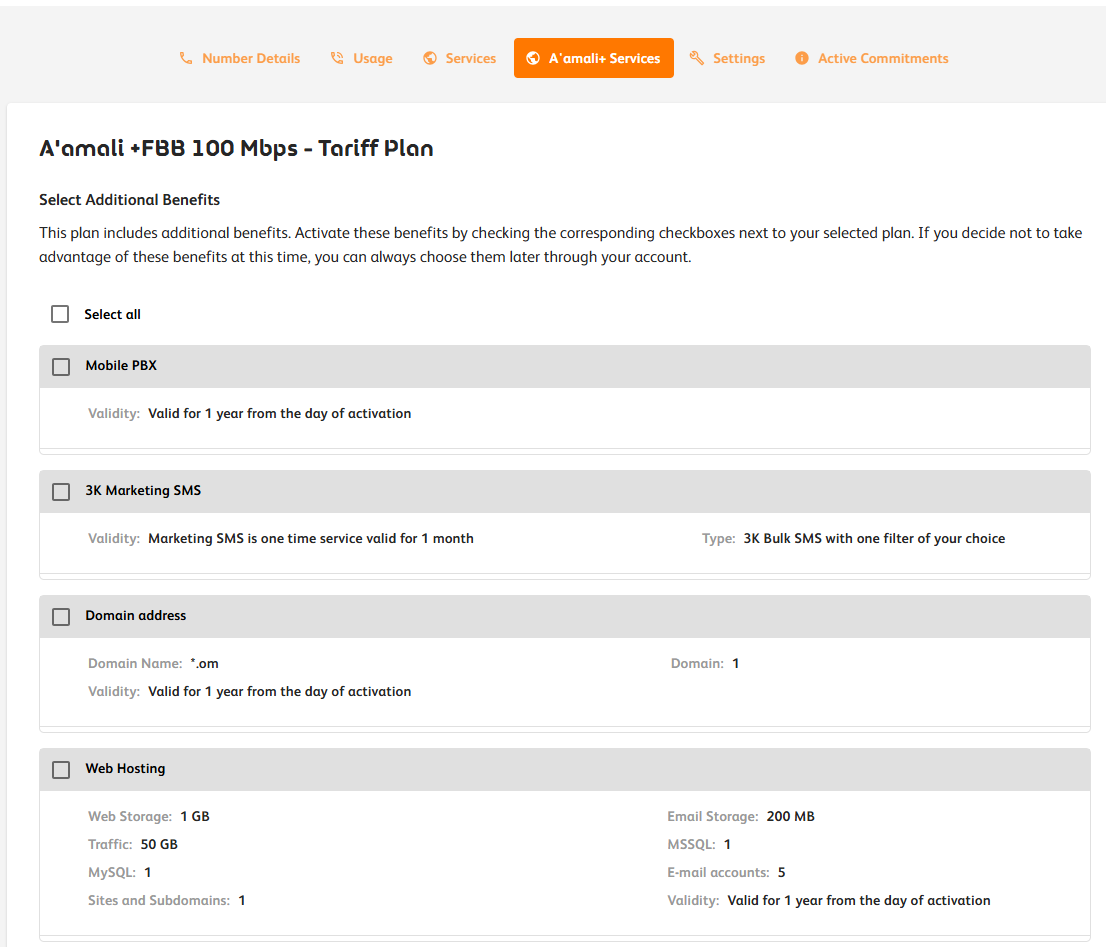
A'amali+ Services
Click on "A'amali+ Service" tab to choose for all the services using the below flow.